Parts Implemented by Bulut Öztemur
For non-admin users, there is a statistics link on dashboard, which provides users statistics table of players. Statistics table can be seen in the image below:
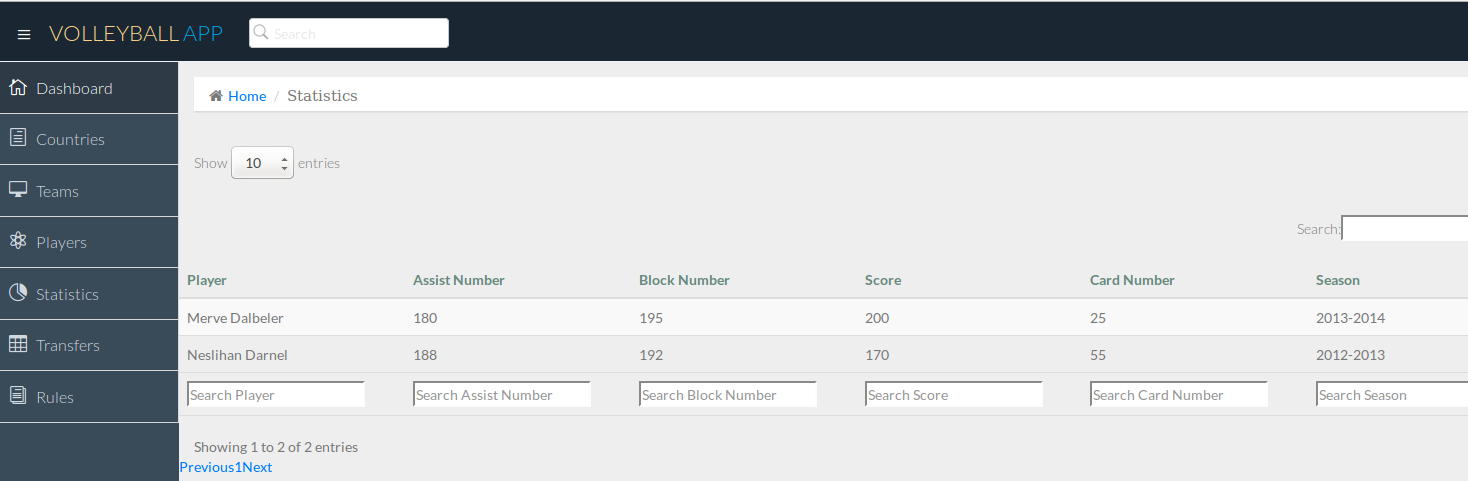
Statistical section interface for non-admin users
Users can do search and sorting operations on table. They can search using search boxes, and sort clicking any column name that they want to sort. Also, users can choose how many players can be seen in one page, and they can pass next or previous page using links below table. In case of that page is opened late, paging method is used.
For admin users, there is an admin panel on the menu. It can only be seen by the users that have admin priviliges. With this interface, administrators can manipulate the database as they like. They can add, update and delete items to the entities as long as they do not cause inconsistency.
Edit page example can be seen below:
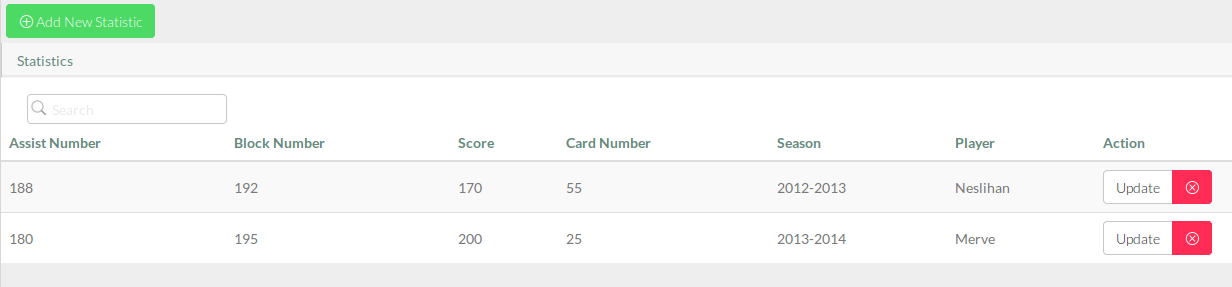
Admin edit page(Statistic section)
Admin can add new statistic data for a player by clicking Add New Statistic button:
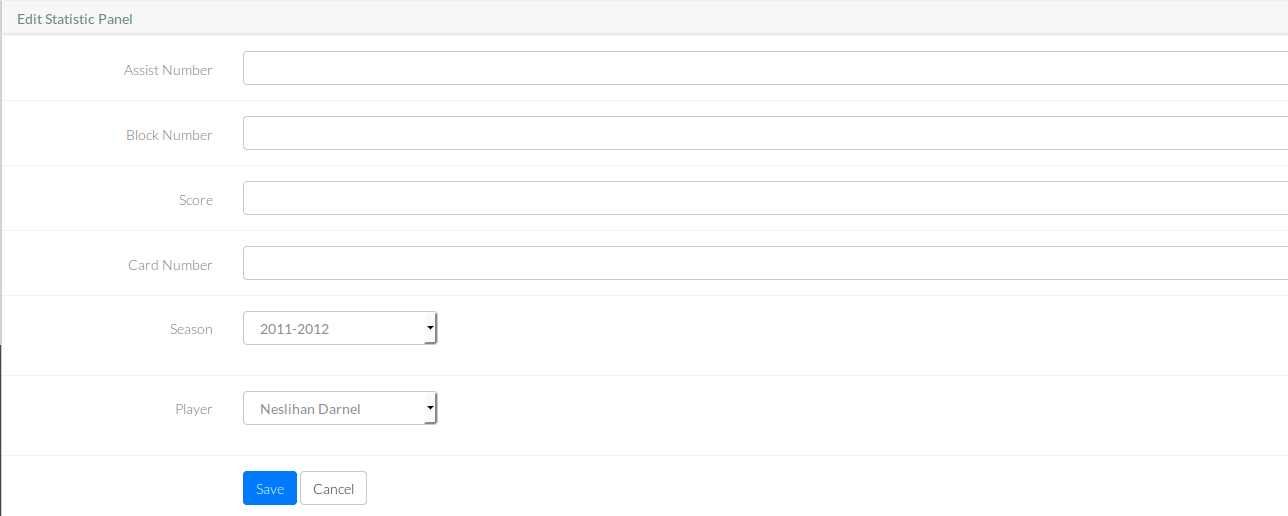
Add operation(Statistic section)
Update an existing statistic data by clicking update button:
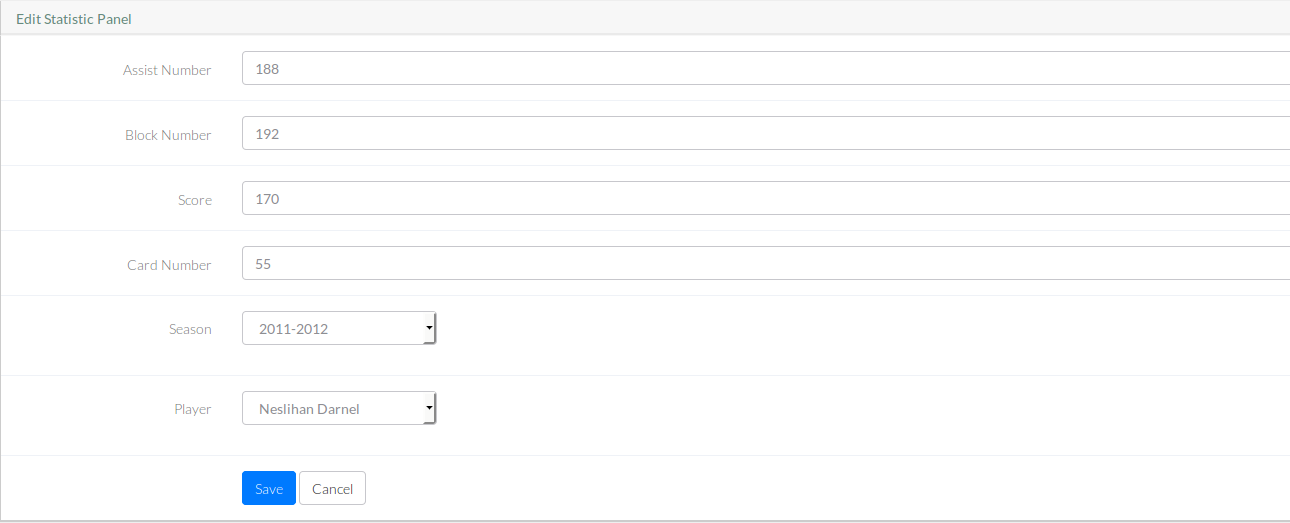
Update operation(Statistic section)
And delete an existing statistic data by clicking the red cross near the update button.
These properties are same for match and court entities:
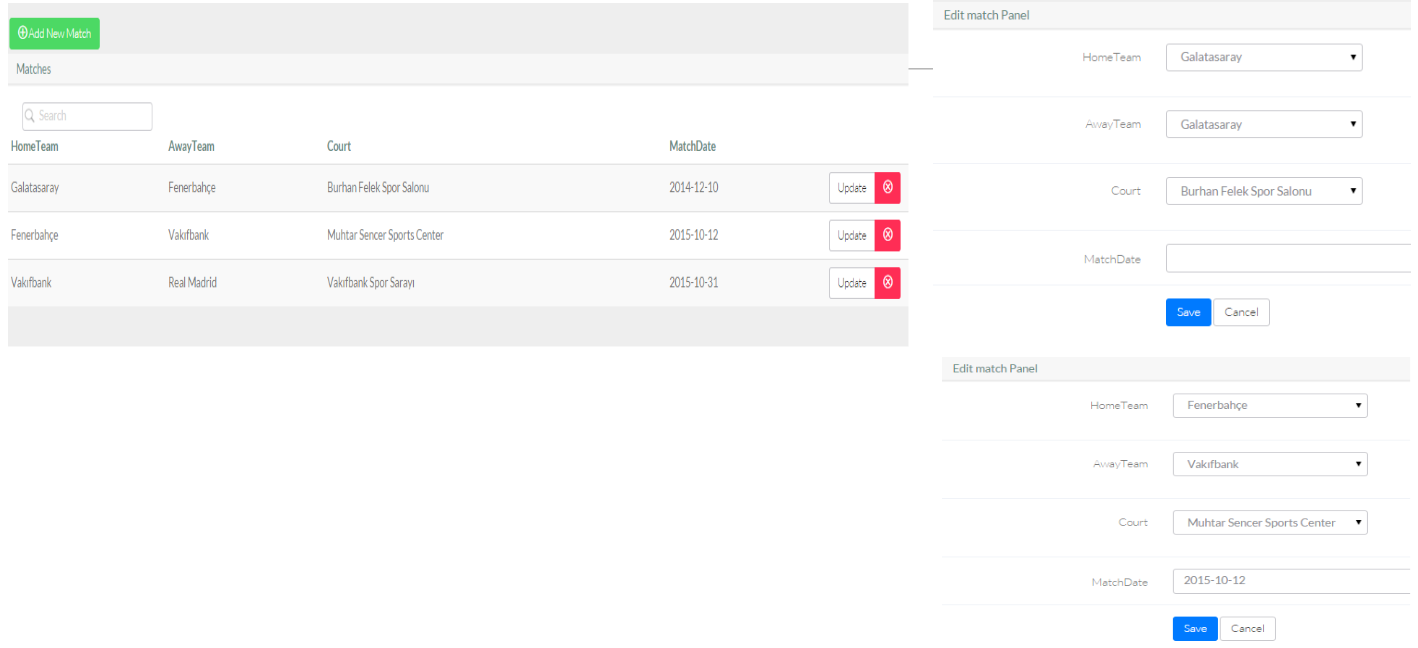
Operations for Match section
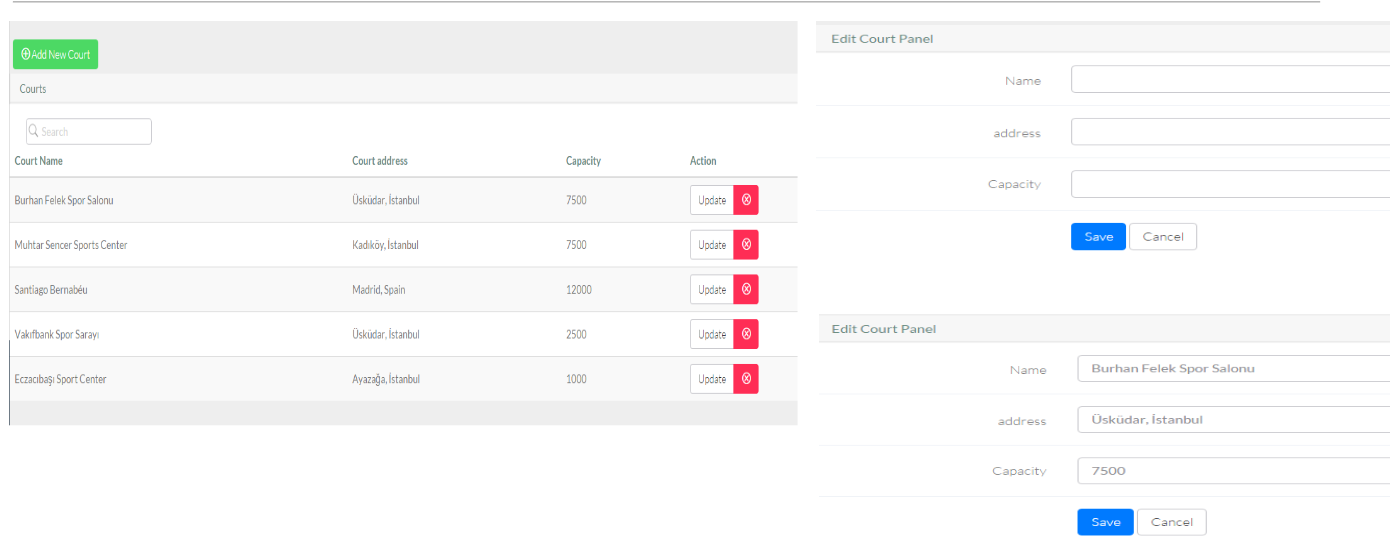
Operations for Court section